





Under review
AI software
R$ 158,00
Pay
Get paid and close
Across the platform
 BREN
Clara Intelligence · Policy Agent
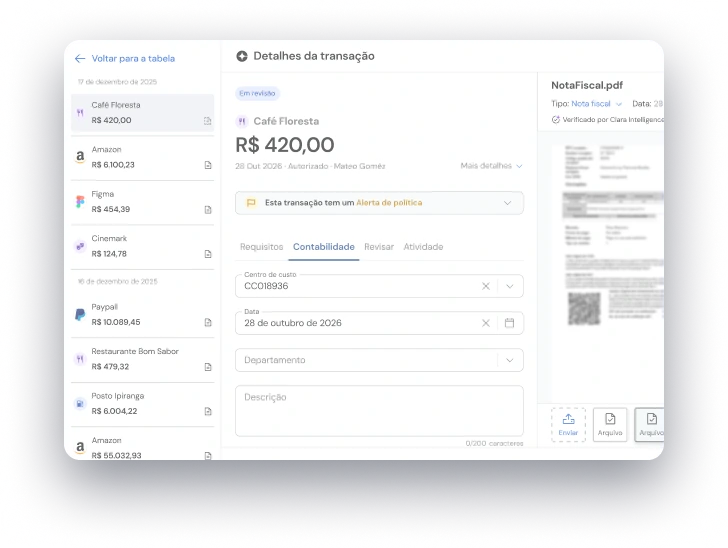
Clara’s Policy Agent reviews each new corporate card transaction against your company’s spending policy, flags possible exceptions, and explains why they need attention. Your team always has the final say.
Give your finance team a starting point for reviewing corporate card spending.
Upload a PDF or DOCX, or let Clara draft a policy. Your team reviews the extracted rules before activating them.
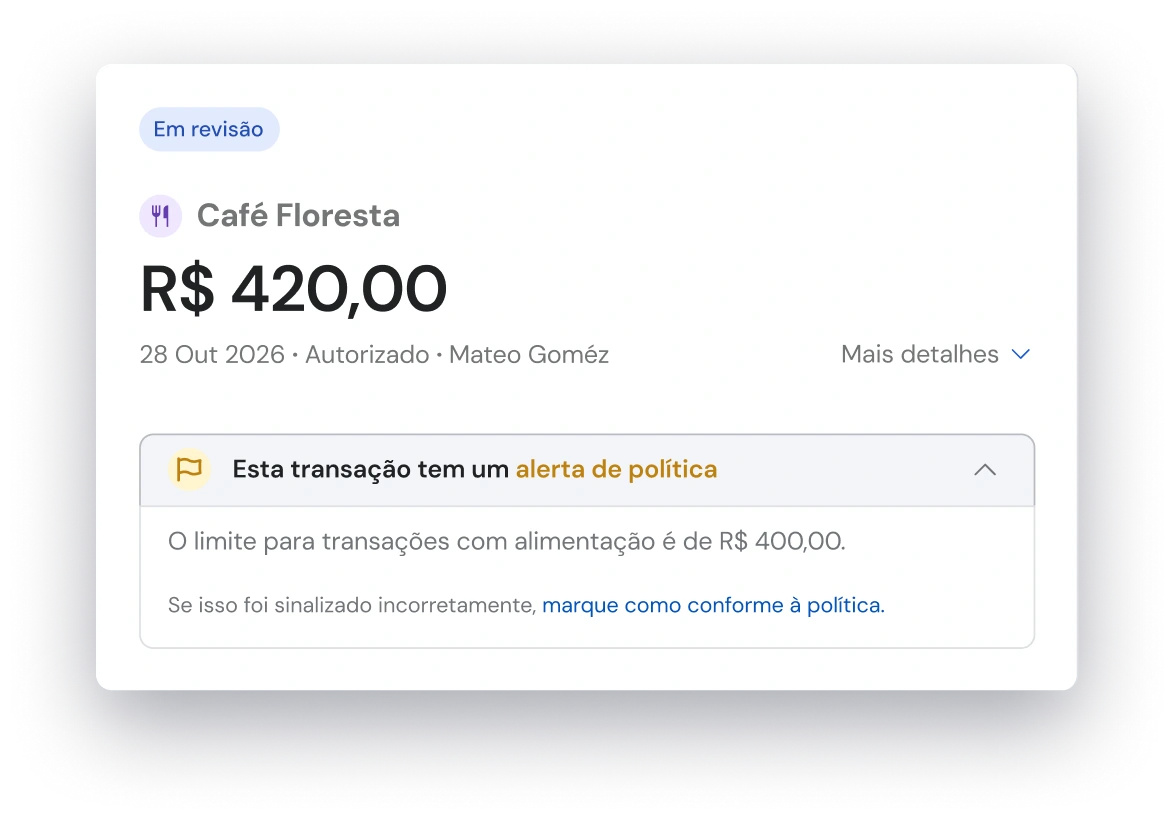
Each new card transaction receives a policy status. Read the rule and reason to understand what needs attention.
The Policy Agent flags transactions; it never approves or rejects them. Administrators and accountants can change a status, and every change is recorded in Activity.
See how the Policy Agent flags possible exceptions. Each example includes the policy rule and the reason for review.
Under review
R$ 158,00
Under review
R$ 790,00
Under review
R$ 130,00
An Administrator sets it up on the web. Requirements must be enabled before activation.
The Policy Agent needs Requirements to work. Already enabled? Move on to your policy.
Upload a PDF or DOCX. Don’t have a policy yet? Clara drafts a first version for your team to edit and approve.
Clara extracts the rules from your policy. Review them, adjust the document if needed, and activate.
Already use Clara? Log in ↗ · Reviews apply to card transactions made after activation.
See how the Policy Agent turns a document into rules and flags transactions that may need attention. Demo in Portuguese.
Setup, statuses, and the decisions that stay with your team.
No. The Policy Agent flags transactions that may need attention. Your team decides: Administrators and accountants can change a status, and every change is recorded in Activity.
Yes. Requirements must be enabled for the Policy Agent to work. Enable them before uploading your policy and activating the agent.
No. It reviews card transactions made after activation. Past transactions are not reviewed retroactively.
Upload a PDF or DOCX. If you don’t have a policy yet, Clara can draft one for your team to edit and approve before using it.
Administrators set up the Policy Agent on the web. Administrators and accountants can review results and change transaction statuses.
See statuses and reasons in Transactions with the Company policy filter, in email alerts and a weekly summary, and in the app in read-only mode. The AI-enriched CSV includes a Policy Agent column on Pro and Enterprise plans.
Yes. The Policy Agent works within the Clara platform. Sign up for Clara to get started; signing up does not automatically activate the Policy Agent. Talk to our team to confirm availability for your company.
Sign up for Clara and talk to our team to bring the Policy Agent to your company’s expense review.