






Have You Seen Our New Accounting Module?
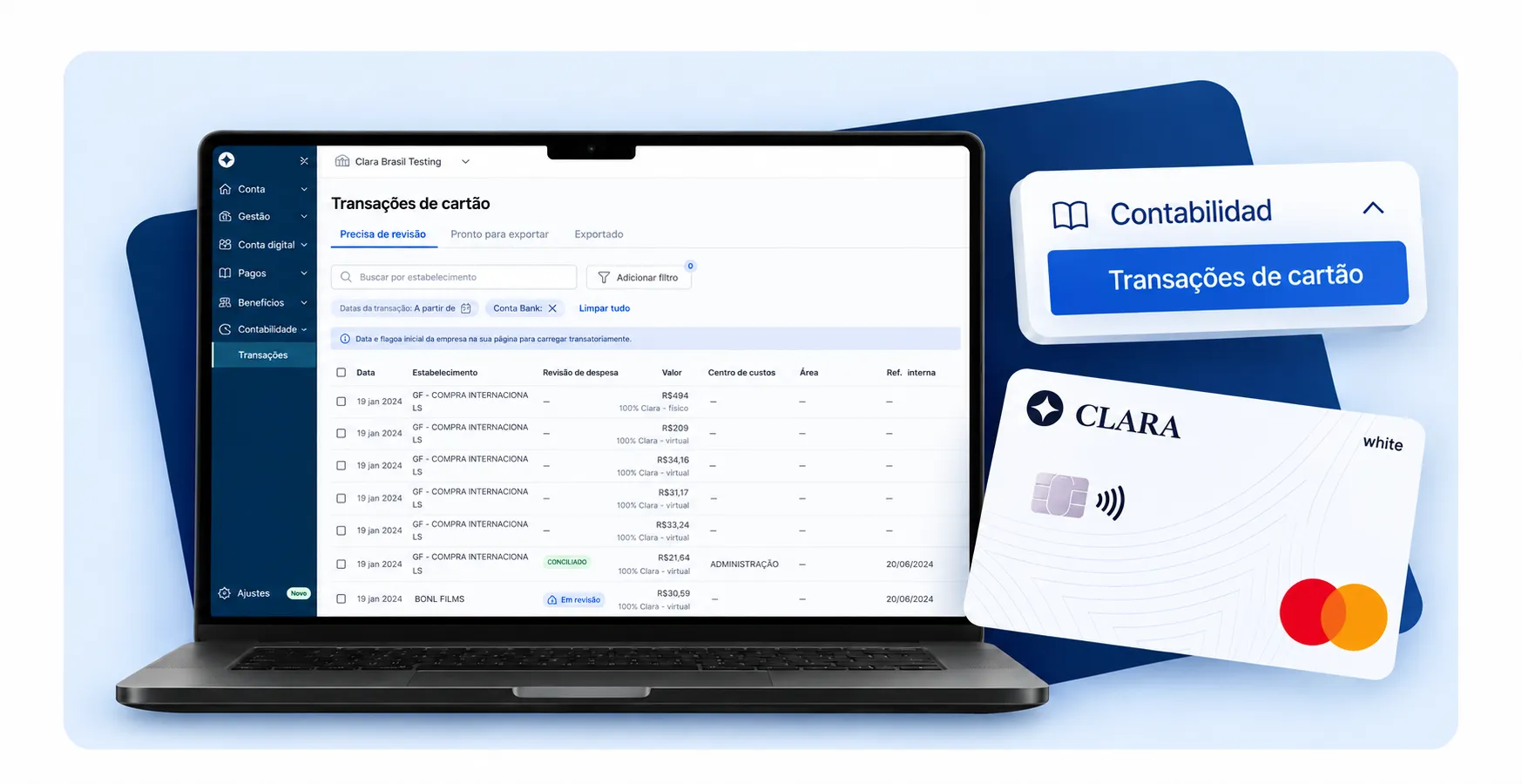
From your company’s expenses to accounting-ready data
Clara’s Accounting Module connects expense details, approvals, and accounting review to prepare your transactions for export.
Closing the month should not begin with a search for information.
But when expense details, approvals, and accounting review are disconnected, that is exactly what happens.
The accounting team chases missing information, corrects records, and assembles the data manually to close the books.
That is why we created the Accounting Module at Clara.
Now you can connect this work throughout the month: your team knows what information it needs to submit, approvals follow your rules, and accounting reviews, validates, and prepares transactions before export.
Card transactions and reimbursements are reviewed in the same module.
Review. Classify. Export. All in Clara.
1. A workflow from expense to export
The Accounting Module organizes the work into four connected stages.
Clear requirements from the start
Define what information each expense requires and who must provide it.
Employees see these requirements in Transactions from the moment they record the expense.
Approvals according to your rules
Approvals follow the workflows you configure and move forward as expense information is filled in.
This keeps reviews from piling up at the end of the month.
Accounting control before export
The accounting team reviews expenses, fills in accounting fields, validates the information, and marks transactions as ready to export.
When they do, the fields are locked to prevent unwanted changes.
Data for closing the books
Download an enriched report with the accounting fields and context for each expense.
Depending on your company’s plan, you may also be able to send this information to your systems via API, when available.
2. Define the accounting information your team needs
Your operations have their own rules. So does your accounting.
With the Accounting Module, you define the required fields, such as general ledger account, cost center or project, and who must fill them in.
Classify expenses your way
Configure the fields to match how your company organizes its accounting.
Employees can fill in some fields when recording an expense; others can be assigned to the accounting team.
Requirements visible to every employee
Everyone knows what they need to submit, without having to ask or wait for accounting to contact them.
The result: information is gathered throughout the month, with fewer adjustments needed at export time.
3. Review, validate, and prepare for export
Before information leaves Clara, accounting is in control.
Each transaction in its own status
In the module, transactions are organized into three statuses:
- Needs review: expenses that still need information, validation, or approval.
- Ready to export: expenses reviewed and validated by accounting, with fields locked.
- Exported: expenses that have already left Clara for your accounting process.
This lets you see what is pending and what is ready for closing the books at any time.
Review from the table
In the table, you can filter expenses and quickly identify which information is missing before export.
Fill in, validate, and mark as ready
The accounting team fills in the fields it is responsible for, validates that each expense has the correct information, and marks it as ready to export.
At that point, the fields are locked. This means what you export is exactly what you reviewed.
4. Data ready for closing the books
By the end of the month, the information is already organized.
Enriched report
Download a CSV report that includes the accounting fields configured by your company as well as the transaction details.
This makes importing or reconciling data in your accounting system easier, with less preparation outside Clara.
API integration
For companies that need to send this information directly to their systems, an API connection will be available according to your company’s plan.
Ask your Customer Success Manager (CSM) about the available options.
5. What changes when you close the month
Less manual follow-up
Requirements are clear from the start, so accounting spends less time chasing information.
Less preparation outside Clara
Expenses arrive classified and validated, ready to export, without having to assemble the data in spreadsheets.
More clarity about outstanding items
With the Needs review, Ready to export, and Exported statuses, you can see what still needs to be resolved before the close.
6. A clear role for each team
The Accounting Module organizes the work of everyone involved in an expense.
- Employees: know exactly what information they need to submit for each expense.
- Approvers: review and approve according to the workflows configured by your company.
- Accounting: applies its controls, reviews before export, and downloads what it needs to close the month.
7. Fewer outstanding items at month-end. All in Clara.
With the Accounting Module, the information for each expense is gathered from the start, approvals move forward according to your rules, and accounting has control before export.
Review expenses, fill in accounting data, and prepare your transactions for export in one place.
Availability depends on your company’s plan.
Try the module today: go to Clara to configure your accounting fields, watch the tutorial, or speak to your CSM.