





Skip to content
For a limited time: 10% cashback on the leading AI platforms. Sign up
Clara
  • Pay

    • Corporate cardRules for every card, before spending
    • TravelPayA virtual card for each booking
    • Clara BlackLounge access and protection when traveling
    • Clara VeículosFuel wherever Mastercard is accepted
    • Accounts payableMultiple suppliers, one payment batch

    Get paid and close

    • Clara ContaPix and collections in one place
    • Accounts receivableCollect by boleto and Pix in Clara Conta
    • Spend managementPolicies and receipts for every expense
    • Accounting closeYour fields, with data ready for your ERP

    Platforms

    • Clara FleetConnect vehicles, drivers and spending
    Clara GlobalOperate in other countries on the same platform.Discover Clara Global

    Across the platform

    • Clara IntelligenceChat with your financial data
    • Integrations
    • Mobile
    • Security
    • API
  • By company size

    • Startups
    • Small business
    • Mid-sized companies
    • Large companies

    By industry

    • Advertising and Marketing
    • Retail
    • Construction
    • Travel
    • Transport and logistics
    ““New card issuance: from up to 30 days to 5 minutes with Clara”VTEX“Budget control that freed up 70% of the finance team's time”CNA“Efficient financial management with full visibility.”BVMore stories

    Why Clara

    • Switch to Clara
  • Learn

    • Blog
    • Reports and Intelligence
    • AI Monitor
    • Fuel monitor
    • Events and webinars
    • Tools

    Company

    • About
    • Newsroom
    • Product releases
    • Careers (opens in a new tab)
    • Contact
    • Help (opens in a new tab)
    Clara MCPConnect Clara with Claude, ChatGPT, and other compatible AI.Discover Clara MCP
  • Pricing
  • BR·EN

    Language

    PortuguêsEnglish

    Country

    • Mexico
    • Colombia
    • Brazil

    Other countries

    • Clara Global
  • Customer login
See the demo (opens in a new tab)Sign up

Pay

  • Corporate cardRules for every card, before spending
  • TravelPayA virtual card for each booking
  • Clara BlackLounge access and protection when traveling
  • Clara VeículosFuel wherever Mastercard is accepted
  • Accounts payableMultiple suppliers, one payment batch

Get paid and close

  • Clara ContaPix and collections in one place
  • Accounts receivableCollect by boleto and Pix in Clara Conta
  • Spend managementPolicies and receipts for every expense
  • Accounting closeYour fields, with data ready for your ERP

Platforms

  • Clara FleetConnect vehicles, drivers and spending

Across the platform

  • Clara IntelligenceChat with your financial data
  • Integrations
  • Mobile
  • Security
  • API
Clara GlobalOperate in other countries on the same platform.Discover Clara Global

By company size

  • Startups
  • Small business
  • Mid-sized companies
  • Large companies

By industry

  • Advertising and Marketing
  • Retail
  • Construction
  • Travel
  • Transport and logistics

Why Clara

  • Switch to Clara
““New card issuance: from up to 30 days to 5 minutes with Clara”VTEX“Budget control that freed up 70% of the finance team's time”CNA“Efficient financial management with full visibility.”BVMore stories

Learn

  • Blog
  • Reports and Intelligence
  • AI Monitor
  • Fuel monitor
  • Events and webinars
  • Tools

Company

  • About
  • Newsroom
  • Product releases
  • Careers (opens in a new tab)
  • Contact
  • Help (opens in a new tab)
Clara MCPConnect Clara with Claude, ChatGPT, and other compatible AI.Discover Clara MCP
Pricing
Customer login
BR·EN

Language

PortuguêsEnglish

Country

  • Mexico
  • Colombia
  • Brazil

Other countries

  • Clara Global
See the demo (opens in a new tab)Sign up

Card Templates: Scale Your Corporate Card Management
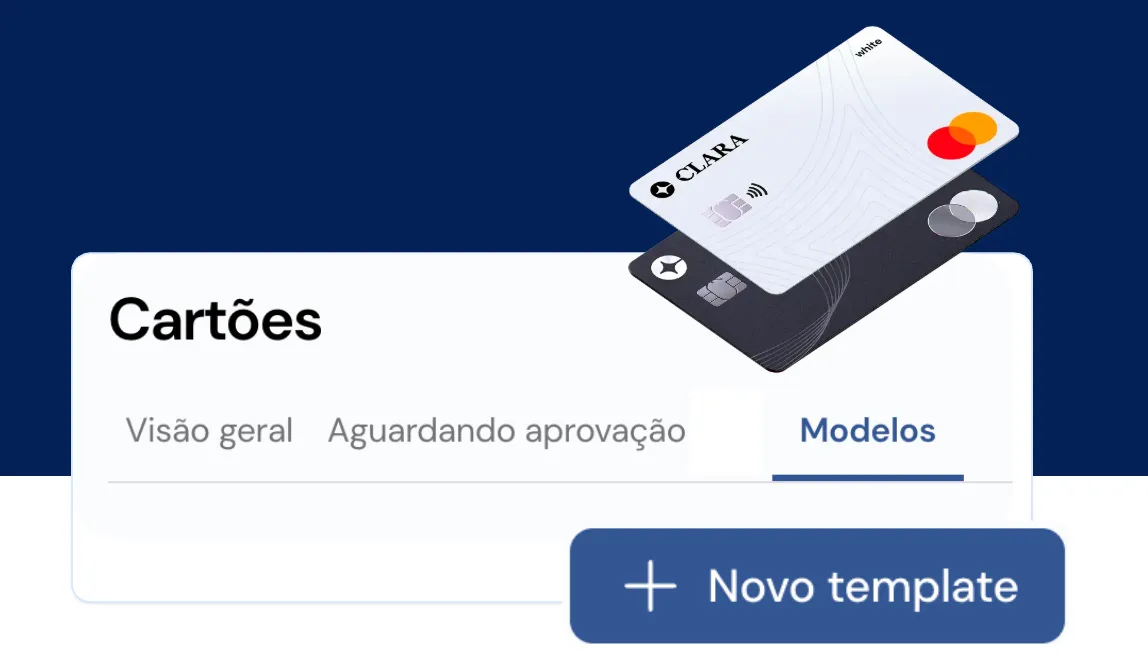
Card Templates: Scale Your Corporate Card Management — original media from the Portuguese-language source.

If you manage multiple cards with the same settings, you no longer need to manage them one by one.

With Templates, you define a set of settings once, link multiple cards, and manage the settings they share together. You can also use a Template when creating new cards so they start with the required settings already in place.

Set up once. Apply to multiple cards.

What are Templates?

Templates let you define the settings you want to share across multiple cards and manage them in one place.

You can set details such as card type, credit limit, renewal frequency, days of use, ATM withdrawals, and purchase restrictions, then link the cards that need to share those settings.

That way, instead of repeating the same process for each card, you can manage multiple cards together.

Set up once

Create a Template and define the settings you want to apply.

For example, you can create a Template for your Sales Team and set the card type, credit limit, renewal frequency, and where it can be used.

Once you have created the Template, you can link the cards you want to manage with those settings.

Manage multiple cards together

Already have cards?

You can select multiple existing cards and link them to a Template.

From then on, when you need to change a shared setting, you can update it directly in the Template instead of changing each card individually.

Need to make a change? Do it once, not card by card.

You decide which cards are linked to each Template. This lets you create different settings to suit each team or type of expense.

Create new cards faster

You can also use a Template when creating a new card.

Simply select the Template you want, and its settings will already be applied to the new card.

That way, you do not have to configure every new card with the same requirements from scratch.

What can you configure in a Template?

When creating a Template, you can define the settings you want to share across linked cards, including:

  • Template name
  • Card type
  • Credit limit
  • Renewal frequency
  • ATM withdrawals (ATM)
  • Start and end dates
  • Days of use
  • Purchase restrictions
  • Other advanced settings available for the card

This lets you choose which settings the Template manages while keeping other settings customizable for each card when needed.

Templates for different spending needs

Not all your company cards need to work the same way.

You can create different Templates to suit each team, budget, or type of expense. For example:

Sales Team

Set shared settings for the cards used by the sales team.

Business travel

Set specific settings for cards used on business trips.

Meals

Manage cards intended for meal expenses with shared settings.

Projects or teams

Create different Templates based on the budget and needs of each project or department.

More control, less individual management

Templates were developed to simplify the management of multiple cards that need to share the same settings.

Instead of repeating the same task several times:

Set up → Link → Manage

And when you need to create a new card:

Select a Template → The settings are already applied

This lets you spend less time managing cards individually while keeping more control over how they are used.

Frequently asked questions

Can I still create a card without using a Template?

Yes. You can create a card without selecting a Template and set its settings individually.

Templates are especially useful when multiple cards need to share the same settings.

Can I link existing cards to a Template?

Yes. You can select existing cards and link them to a Template to manage the settings defined in it together.

What happens when I update a Template?

Changes to settings managed by the Template are applied to the cards linked to it.

This means you can make a change in one place instead of updating each card individually.

Can I change a setting for just one card linked to a Template?

Settings defined by the Template are managed from the Template itself for linked cards.

If you need a card to have a different value for a setting controlled by the Template, you must unlink it before making that individual change.

Can I unlink a card from a Template?

Yes. You can unlink a card when you need to manage it independently or link it to a different set of settings.

Do all my cards need to be linked to a Template?

No. You decide which cards to link.

You can use different Templates for different groups of cards and continue managing other cards individually.

Availability

🇲🇽 Mexico | 🇨🇴 Colombia | 🇧🇷 Brazil

Set up once. Apply to multiple cards.

Start by creating your first Template and linking the cards you want to manage together.

Get started with Clara

We detected you're using a personal email. You can continue. Use your corporate email to continue with your signup.

By creating an account, you accept our Terms of Use and Privacy Policy.

Thanks. We're taking you to the next step to complete your registration.

Redirecting to registration…

Clara

Clara empowers companies with financial agility and clarity.

BrazilGlobal
PortuguêsEnglish

Products

  • Corporate cards
  • Spend management
  • Travel spend management
  • Vendor payments
  • Clara Conta
  • Accounts receivable
  • Fleet fuel card
  • Accounting close
  • Security and compliance
  • Clara Fleet
  • Clara Global

Company size

  • Small business
  • Mid-sized companies
  • Large companies
  • Startup

Resources

  • Blog
  • Events and webinars
  • Product releases
  • Newsroom
  • Legal documentation
  • For developers
  • AI Monitor

Support

  • Help center (opens in a new tab)
  • Onboarding and training (opens in a new tab)
  • Switch to Clara
  • API documentation (opens in a new tab)
  • Careers (opens in a new tab)

Free tools

  • CDI calculator
  • Compound interest calculator
  • Fuel consumption
  • ROI calculator
  • Km driven
  • Per diem calculator
  • Improper charges
  • Expense policy
  • Generate an expense policy (opens in a new tab)
  • See all

Clara for AI and developers

llms.txtAPI documentationClara MCPAI MonitorClara Router
Download on the App StoreAvailable on Google Play
Endeavor Outliers 2025 — Clara. (opens in a new tab)Financial Times Americas Fastest Growing Companies 2025 — Clara. (opens in a new tab)Financial Times Americas Fastest Growing Companies 2026 — Clara. (opens in a new tab)

Brasil

Clara Instituição de Pagamento Ltda · CNPJ 41.538.335/0001-45

R. Dr. Renato Paes de Barros, 33, 15º andar, Itaim Bibi, São Paulo - SP, 04530-000 (opens in a new tab)

0800 591 1152 · contato@clara.com

Clara products are offered by Clara's local entities in each market, in accordance with applicable local law.

A CLARA INSTITUIÇÃO DE PAGAMENTO LTDA. é uma instituição de pagamento autorizada pelo Banco Central do Brasil a atuar como emissora de moeda eletrônica e emissora de instrumento de pagamento pós-pago. A Clara não é uma instituição financeira e não realiza operações de crédito diretamente, atuando como correspondente bancário, nos termos do art. 3º da Resolução CMN nº 4.935 de 29 de julho de 2021, de: (i) Money Plus SCMEPP LTDA, inscrita no CNPJ/MF sob o nº 11.581.339/0001-45; e (ii) BMP MONEY PLUS SOCIEDADE DE CRÉDITO DIRETO S.A., inscrita no CNPJ/MF sob n° 34.337.707/0001-00, para a oferta de produtos e serviços que envolvam operações de crédito. A Clara participa do Pix na modalidade de provedor de conta transacional, com participação indireta no Sistema de Pagamentos Instantâneos – SPI, com liquidação de suas transações por meio dos serviços do Banco BTG Pactual SA, inscrito no CNPJ/MF sob o nº 30.306.294/0001-45. Mais informações podem ser obtidas no canal de atendimento da Clara ou das instituições mencionadas, que são instituições financeiras devidamente autorizadas pelo Banco Central do Brasil.

Copyright Clara 2026. All rights reserved.Privacy policyTerms of UseClickToPay T&C