
Skip to content
10% cashback on the leading AI platforms (OpenAI, Claude and more). Sign up now.
Clara
  • Pay

    • Corporate cardRules for every card, before spending
    • TravelPayA virtual card for each booking
    • Clara BlackLounge access and protection when traveling
    • Clara for HRBenefits with their own budgets and rules

    Close

    • Spend managementPolicies and receipts for every expense
    • Accounting closeYour fields, with data ready for your ERP
    Clara GlobalOperate in other countries on the same platform.Discover Clara Global

    Across the platform

    • Clara IntelligenceChat with your financial data
    • Integrations
    • Mobile
    • Security
    • API
  • By company size

    • Startups
    • Small business
    • Mid-sized companies
    • Large companies

    By industry

    • Advertising and Marketing You are here
    • Retail
    • Construction
    • Travel
    • Transport and logistics
    ““Time optimization: the result Fluid Attacks obtained by complementing its finances with Clara.”Fluid Attacks“Clara has been a strategic ally for each of Laika's needs, making administrative purchases, which are essential for the company, easier.”Laika“Instead of recording invoice by invoice, transactions are now simply reflected in the platform. This lets us use that saved time on other tasks. We have come across many providers that do not offer this added value, and it has been very important to us.”CobreMore stories

    Why Clara

    • Switch to Clara
  • Learn

    • Blog
    • Financial reports
    • AI Monitor
    • Events and webinars
    • Tools

    Company

    • About
    • Newsroom
    • Product releases
    • Careers (opens in a new tab)
    • Contact
    • Help (opens in a new tab)
    Clara MCPConnect Clara with Claude, ChatGPT, and other compatible AI.Discover Clara MCP
  • Pricing
  • CO·EN

    Language

    EspañolEnglish

    Country

    • Mexico
    • Colombia
    • Brazil

    Other countries

    • Clara Global
  • Customer login
See the demo (opens in a new tab)Sign up

Pay

  • Corporate cardRules for every card, before spending
  • TravelPayA virtual card for each booking
  • Clara BlackLounge access and protection when traveling
  • Clara for HRBenefits with their own budgets and rules

Close

  • Spend managementPolicies and receipts for every expense
  • Accounting closeYour fields, with data ready for your ERP

Across the platform

  • Clara IntelligenceChat with your financial data
  • Integrations
  • Mobile
  • Security
  • API
Clara GlobalOperate in other countries on the same platform.Discover Clara Global

By company size

  • Startups
  • Small business
  • Mid-sized companies
  • Large companies

By industry

  • Advertising and Marketing You are here
  • Retail
  • Construction
  • Travel
  • Transport and logistics

Why Clara

  • Switch to Clara
““Time optimization: the result Fluid Attacks obtained by complementing its finances with Clara.”Fluid Attacks“Clara has been a strategic ally for each of Laika's needs, making administrative purchases, which are essential for the company, easier.”Laika“Instead of recording invoice by invoice, transactions are now simply reflected in the platform. This lets us use that saved time on other tasks. We have come across many providers that do not offer this added value, and it has been very important to us.”CobreMore stories

Learn

  • Blog
  • Financial reports
  • AI Monitor
  • Events and webinars
  • Tools

Company

  • About
  • Newsroom
  • Product releases
  • Careers (opens in a new tab)
  • Contact
  • Help (opens in a new tab)
Clara MCPConnect Clara with Claude, ChatGPT, and other compatible AI.Discover Clara MCP
Pricing
Customer login
CO·EN

Language

EspañolEnglish

Country

  • Mexico
  • Colombia
  • Brazil

Other countries

  • Clara Global
See the demo (opens in a new tab)Sign up

Manage your digital advertising investment

Dedicated virtual cards for each campaign with 2% cashback on Google and Meta Ads. Automatic ROI tracking and complete control of your advertising budget.Dedicated virtual cards for each campaign with 2% cashback on Google and Meta Ads. Automatic ROI tracking and complete control of your advertising budget.
We detected you're using a personal email. You can continue. Use your corporate email to continue with your signup.

By creating an account, you accept our Terms & Conditions and Privacy Policy.

Thanks. We're taking you to the next step to complete your registration.Redirecting to registration…
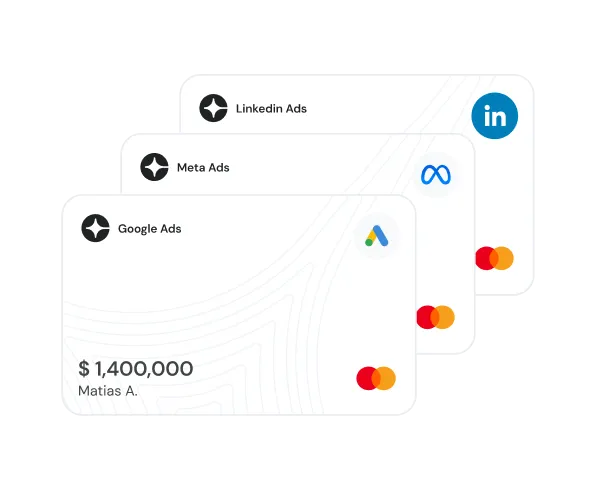
Three stacked Google Ads, Meta Ads and LinkedIn Ads virtual cards with their logos and the Mastercard symbol.

Clara is the expense platform that gives advertising and marketing teams control over their digital investment. Issue dedicated virtual cards for each campaign, earn 2% cashback on Google and Meta Ads and track ROI automatically to control your entire advertising budget.

How other teams organize their spending

Published stories of companies organizing their expenses with Clara across Latin America.

Traktor

The digital marketing agency describes moving from boleto payments and one shared card to cards for different campaign needs and a shared view of expenses.

Read the story: Traktor →

Feeling Company

This advertising agency shares its experience bringing transactions into a dashboard accessible to Finance and using physical and virtual cards.

Read the story: Feeling Company →

Acapella

The clothing brand with physical stores and online sales organizes digital marketing payments with virtual cards and attaches supporting documents to its expenses.

Read the story: Acapella →

A payment workflow for each advertising platform

Set up payments in each platform. Review billing country, currency and payment setting, then organize cards, owners and supporting documents in Clara.

A payment workflow for each advertising platform
Platform and official helpReviewing billingOrganizing expenses with Clara
Google Ads · YouTube (opens in a new tab) ↗Automatic payments can charge the account at its billing threshold or scheduled billing date. Review the settings in Google Ads Billing.Name the card for the client and Google Ads account. Match charges with the report covering search, video and other campaigns.
Meta Ads · Facebook / Instagram (opens in a new tab) ↗Review available payment methods, the billed account and receipts in your Meta ad account’s payment settings.Separate cards by client or ad account. Preserve the context of Facebook and Instagram expenses and compare them with Ads Manager reports.
LinkedIn Ads (opens in a new tab) ↗LinkedIn determines card billing frequency using a threshold. Review its status and receipts in Campaign Manager’s billing section.Assign an owner to the B2B advertising account. Classify charges by client, commercial initiative or cost center and keep the receipts.
TikTok Ads (opens in a new tab) ↗Automatic payment can bill at the threshold or billing date. Manage the setup in Ads Manager or Business Center, depending on the account.Identify each ad account and its card. Review available limits before raising the budget and retain supporting documents for its charges.
Microsoft Advertising (opens in a new tab) ↗Payment methods depend on country, currency and account type: prepay, postpay threshold or monthly invoice.Distinguish this channel from the Google budget. Assign a card and owner to follow advertising purchases and classify them in Clara.
Amazon Ads (opens in a new tab) ↗Sponsored ads payment options depend on account type and marketplace. Check whether your account uses a card, seller funds or invoicing.Separate advertising from inventory purchases and other store expenses. Identify the marketplace, account and owner before classifying charges.
Pinterest Ads (opens in a new tab) ↗Pinterest can charge at a billing threshold or the start of the next month. An account can generate multiple charges during one period.Assign the account to its brand or client and keep receipts. Use Clara’s classification to review the investment alongside other channels.
Reddit Ads (opens in a new tab) ↗Reddit can charge the card at its threshold or for the outstanding period-end balance. The platform provides payment receipts.Identify the account, owner and advertising initiative. Keep Reddit receipts with their transactions for Finance’s review.

Everyday operations

From each ad account to your agency’s month-end close

Separate each client’s media spend, identify the owner of every account and keep platform charges with their supporting documents. Marketing can execute while Finance follows the budget without chasing messages and spreadsheets.

  • A card for each client and platform

    Create virtual cards with names that identify the client, channel and owner. Distinguish Google Ads spend from Meta spend even when several people manage campaigns.

  • Media budgets separate from operating costs

    Organize advertising, creative tools and production purchases on different cards. Set limits against the approved budget and review changes with Finance.

  • Recurring and threshold charges

    Check how each platform bills and plan for its charges. One monthly budget can produce several transactions; review available card limits before increasing spend.

  • Agencies with multiple accounts

    Keep a clear relationship between client, ad account and payment card. When someone changes projects, review their advertising-platform access and card responsibilities in Clara.

  • Supporting documents with context

    Keep the platform receipt with its corresponding transaction. Classify expenses by client, channel or cost center so Accounting can review and prepare the data for export.

  • A shared review with Marketing

    Compare paid charges with each ad account’s spend report. Use performance and conversion data from the advertising platform alongside the payment records in Clara.

Illustrative structure

The context behind each expense

An illustrative structure to agree on with your team. Adapt owners and accounting fields to your operations.

Illustrative structure
Expense typeOwnerContext for the close
Search advertisingAcquisition ownerClient · Google Ads · period
Social advertisingPaid media teamClient · ad account · channel
Creative and analytics softwareMarketing operationsTool · team · subscription
Production and eventsProject ownerCampaign · supplier · receipt

Put the process into practice

  1. 01

    Map your accounts

    List clients, platforms, billing currencies, owners and payment settings. Distinguish your own budget from the advertising spend you manage for clients.

  2. 02

    Configure your cards

    Assign cards and limits to that structure. Add the payment method in each platform and validate its billing setup before moving the full budget.

  3. 03

    Close by client and channel

    Match charges, receipts and spend reports. Use each platform’s billing details to resolve differences in dates, taxes or currency.

Connect this workflow with Clara

Explore the tools available in your country and choose the right combination for your company.

  • Virtual cards

    Separate online purchases and subscriptions with named cards and clear owners.

  • Expense management

    Bring transactions and receipts together to review spending in context.

  • Accounting close

    Classify by department, project or cost center and prepare information for Accounting.

  • Clara Intelligence

    Explore spending analysis and the platform’s AI tools.

Frequently asked questions

Brief answers about how Clara supports your company in this use case.

Which Clara card can I use to pay for Google and Meta Ads?

Clara Virtual. It lets you issue unlimited virtual cards instantly to manage fast-moving advertising spend and software subscriptions. You can dedicate a card to each campaign, with customizable limits and controls, and receive 2% cashback on Google and Meta Ads, with complete control of your advertising budget. Each card can have its own limits, so each campaign’s budget is bounded from the moment you issue it.

How do I track my campaigns’ ROI with Clara?

Clara tracks ROI automatically so you can see what your advertising budget delivers. Because each campaign can have its own virtual card, spending is identified by campaign. Clara also matches receipts and transactions and prepares data for your ERP, so your team can focus on growth. Your finance team can close faster and scale smoothly, with each campaign’s spending in view.

How do I keep my team from overspending on advertising?

Set intelligent limits and automated rules to keep spending aligned without constant supervision. You can also configure custom approval flows, or approvals by amount and category, to remove bottlenecks and speed up decisions without losing visibility. Follow your policies without blocking your team or creating operational friction. The result is a advertising budget with complete visibility, where approvals help the team instead of holding it back.

How are the marketing team’s expenses reimbursed?

Clara automates expense reimbursements: employees submit expenses through the mobile app and accountants approve them on the platform, without manual follow-up. This removes manual paperwork and speeds up employee payments through intelligent flows. Global corporate cards with customizable limits and controls let you scale team spending without losing financial control. Employees get paid sooner, and finance is freed from handling each reimbursement manually.

Can I organize Google Ads, Meta Ads and other platforms separately?

You can assign virtual cards and owners to individual ad accounts and classify their expenses in Clara. Each advertising platform determines the payment methods available for its billing country, currency and payment setting.

Does a card limit replace a campaign budget?

Set the campaign budget in the advertising platform and the card limit in Clara. Review both when increasing spend: one ad account can group several campaigns and generate multiple charges during a month.

How do I distinguish campaign performance from its payments?

Review impressions, conversions and advertising returns in each platform’s tools. In Clara, review transactions, owners and expense classification. Bring both reports together to assess results by client or channel.


Create your account in minutes

Explore our platform (opens in a new tab) ↗

We detected you're using a personal email. You can continue. Use your corporate email to continue with your signup.

By creating an account, you accept our Terms & Conditions and Privacy Policy.

Thanks. We're taking you to the next step to complete your registration.

Redirecting to registration…

Clara

Clara empowers companies with financial agility and clarity.

MexicoColombiaBrazilGlobal
EspañolEnglish

Products

  • Corporate cards
  • Spend management
  • Travel spend management
  • Accounting close
  • Clara for HR
  • Security and compliance
  • Clara Fleet
  • Clara Global

Company size

  • Small business
  • Mid-sized companies
  • Large companies
  • Startup

Resources

  • Blog
  • Events and webinars
  • Product releases
  • Newsroom
  • Legal documentation
  • For developers
  • AI Monitor

Support

  • Help center (opens in a new tab)
  • Onboarding and training (opens in a new tab)
  • Switch to Clara
  • API documentation (opens in a new tab)
  • Careers (opens in a new tab)

Free tools

  • Compound interest calculator
  • Fuel consumption
  • ROI calculator
  • KM driven
  • Per diem calculator
  • Unrecognized charges
  • Expense policy (opens in a new tab)
  • See all

Clara for AI and developers

llms.txtAPI documentationClara MCPAI MonitorClara Router
Download on the App StoreAvailable on Google Play
Great Place to Work — Clara.Endeavor Outliers 2025 — Clara. (opens in a new tab)Financial Times Americas Fastest Growing Companies 2025 — Clara. (opens in a new tab)Financial Times Americas Fastest Growing Companies 2026 — Clara. (opens in a new tab)

Colombia

CF Tech Colombia S.A.S., NIT 901.508.416-0, Carrera 13A #98-75, Piso 2, Bogotá.

+57 601 321 8910 · contacto.co@clara.com

Clara products are offered by Clara's local entities in each market, in accordance with applicable local law.

Copyright Clara 2026. All rights reservedPrivacy policyTerms and conditionsClickToPay T&C
Start now