


Skip to content
10% cashback on the leading AI platforms (OpenAI, Claude and more). Sign up now.
Clara
  • Pay

    • Corporate cardRules for every card, before spending
    • TravelPayA virtual card for each booking
    • Clara BlackLounge access and protection when traveling
    • Clara for HRBenefits with their own budgets and rules

    Close

    • Spend managementPolicies and receipts for every expense
    • Accounting closeYour fields, with data ready for your ERP
    Clara GlobalOperate in other countries on the same platform.Discover Clara Global

    Across the platform

    • Clara IntelligenceChat with your financial data
    • Integrations
    • Mobile
    • Security
    • API
  • By company size

    • Startups
    • Small business
    • Mid-sized companies
    • Large companies

    By industry

    • Advertising and Marketing
    • Retail
    • Construction
    • Travel
    • Transport and logistics
    ““Time optimization: the result Fluid Attacks obtained by complementing its finances with Clara.”Fluid Attacks“Clara has been a strategic ally for each of Laika's needs, making administrative purchases, which are essential for the company, easier.”Laika“Instead of recording invoice by invoice, transactions are now simply reflected in the platform. This lets us use that saved time on other tasks. We have come across many providers that do not offer this added value, and it has been very important to us.”CobreMore stories

    Why Clara

    • Switch to Clara
  • Learn

    • Blog
    • Financial reports
    • AI Monitor
    • Events and webinars
    • Tools

    Company

    • About
    • Newsroom
    • Product releases
    • Careers (opens in a new tab)
    • Contact
    • Help (opens in a new tab)
    Clara MCPConnect Clara with Claude, ChatGPT, and other compatible AI.Discover Clara MCP
  • Pricing
  • CO·EN

    Language

    EspañolEnglish

    Country

    • Mexico
    • Colombia
    • Brazil

    Other countries

    • Clara Global
  • Customer login
See the demo (opens in a new tab)Sign up

Pay

  • Corporate cardRules for every card, before spending
  • TravelPayA virtual card for each booking
  • Clara BlackLounge access and protection when traveling
  • Clara for HRBenefits with their own budgets and rules

Close

  • Spend managementPolicies and receipts for every expense
  • Accounting closeYour fields, with data ready for your ERP

Across the platform

  • Clara IntelligenceChat with your financial data
  • Integrations
  • Mobile
  • Security
  • API
Clara GlobalOperate in other countries on the same platform.Discover Clara Global

By company size

  • Startups
  • Small business
  • Mid-sized companies
  • Large companies

By industry

  • Advertising and Marketing
  • Retail
  • Construction
  • Travel
  • Transport and logistics

Why Clara

  • Switch to Clara
““Time optimization: the result Fluid Attacks obtained by complementing its finances with Clara.”Fluid Attacks“Clara has been a strategic ally for each of Laika's needs, making administrative purchases, which are essential for the company, easier.”Laika“Instead of recording invoice by invoice, transactions are now simply reflected in the platform. This lets us use that saved time on other tasks. We have come across many providers that do not offer this added value, and it has been very important to us.”CobreMore stories

Learn

  • Blog
  • Financial reports
  • AI Monitor
  • Events and webinars
  • Tools

Company

  • About
  • Newsroom
  • Product releases
  • Careers (opens in a new tab)
  • Contact
  • Help (opens in a new tab)
Clara MCPConnect Clara with Claude, ChatGPT, and other compatible AI.Discover Clara MCP
Pricing
Customer login
CO·EN

Language

EspañolEnglish

Country

  • Mexico
  • Colombia
  • Brazil

Other countries

  • Clara Global
See the demo (opens in a new tab)Sign up

Templates: manage multiple cards without handling them one by one.
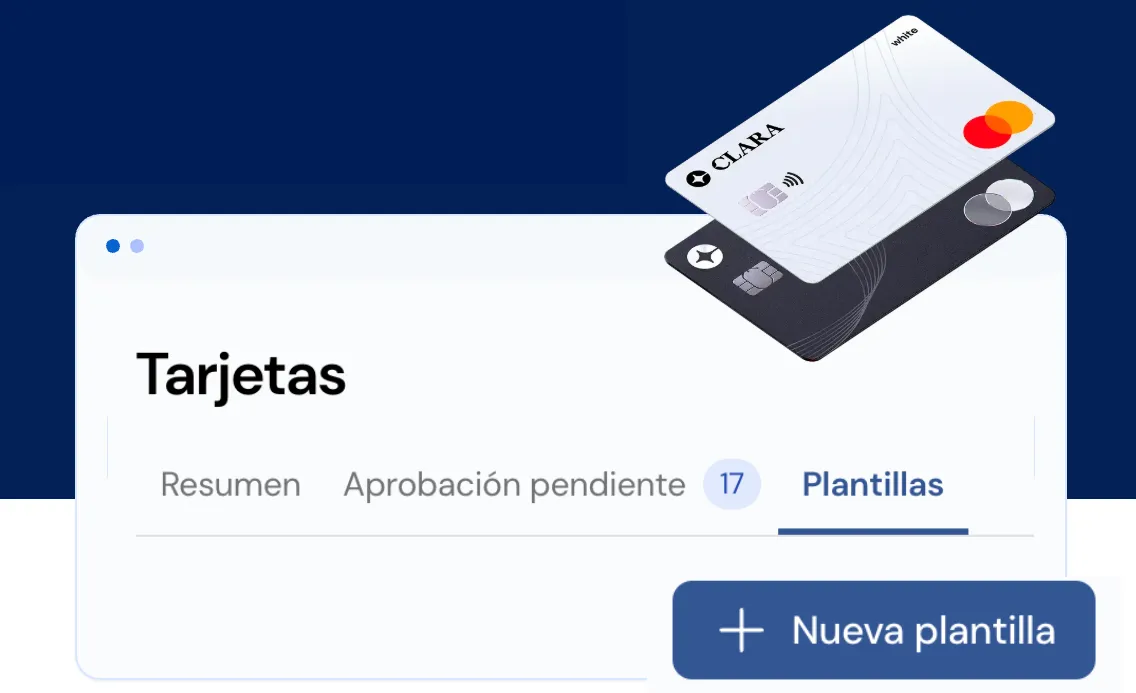
Templates: manage multiple cards without handling them one by one. — original media from the Spanish-language source.

If you manage several cards with the same settings, you no longer need to manage them one by one.

With Templates, you can define settings once, link them to multiple cards, and manage their shared settings together. You can also create new cards using a Template so they start with the appropriate settings already applied.

Set it up once. Apply it to multiple cards.

What are Templates?

Templates let you define the settings you want to share across several cards and manage them from one place.

You can set things such as the card type, credit limits, renewal frequency, days of use, ATM withdrawals, and purchase restrictions, then link the cards that need to share those settings.

That way, instead of repeating the same process card by card, you can manage multiple cards together.

Set it up once

Create a Template and define the settings you want to apply.

For example, you can create a Template for your Sales Team and set the card type, credit limit, renewal frequency, and where it can be used.

Once you have created it, you can link the cards you want to manage under those settings.

Manage multiple cards together

Already have cards?

You can select several existing cards and link them to a Template.

From then on, when you need to change a shared setting, you can update it directly in the Template instead of changing it card by card.

Need to make a change? Do it once, not card by card.

You decide which cards are linked to each Template, so you can create different settings based on each team's needs or type of expense.

Create new cards faster

You can also use a Template when creating a new card.

Just select the appropriate Template, and the settings defined in it will already be applied to the new card.

This way, you do not have to configure every card with the same needs from scratch.

What can you configure in a Template?

When creating a Template, you can define the settings you want to share across linked cards, including:

  • Template name
  • Card type
  • Credit limit
  • Renewal frequency
  • Cash withdrawals (ATM)
  • Start and end dates
  • Days of use
  • Purchase restrictions
  • Other advanced settings available for the card

This lets you define which settings should be managed through the Template while keeping other card management needs at the individual card level when appropriate.

Templates for different spending needs

Not all your company's cards need to work the same way.

You can create different Templates based on the needs of each team, budget, or type of expense. For example:

Sales Team

Define shared settings for the cards used by your sales team.

Business travel

Set specific settings for cards used during business trips.

Meals

Manage cards intended for meal expenses under the same settings.

Projects or teams

Create different Templates according to the budgets and needs of each project or department.

More control, less individual management

Templates are designed to simplify the management of multiple cards that need to share the same settings.

Instead of repeating the same task over and over:

Configure → Link → Manage

And when you need to create a new card:

Select a Template → The settings are already applied

That way, you can spend less time managing cards individually and keep greater control over how they are used.

Frequently asked questions

Can I still create a card without a Template?

Yes. You can create a card without selecting a Template and set it up individually.

Templates are especially useful when several cards need to share the same settings.

Can I link existing cards to a Template?

Yes. You can select existing cards and link them to a Template to manage the settings defined in it together.

What happens when I update a Template?

Changes to settings managed through a Template apply to the cards linked to it.

This lets you make a change in one place instead of updating each card individually.

Can I change a setting on just one card linked to a Template?

Settings defined through a Template are managed in the Template itself for linked cards.

If you need a card to have a different value for a setting controlled by the Template, you must unlink it from that Template before making the individual change.

Can I unlink a card from a Template?

Yes. You can unlink a card when you need to manage it independently or link it to different settings.

Do all my cards have to be linked to a Template?

No. You decide which cards to link.

You can use different Templates for different groups of cards and continue managing other cards individually.

Availability

🇲🇽 Mexico | 🇨🇴 Colombia | 🇧🇷 Brazil

Set it up once. Apply it to multiple cards.

Start by creating your first Template and link the cards you want to manage together.

Get started with Clara

We detected you're using a personal email. You can continue. Use your corporate email to continue with your signup.

By creating an account, you accept our Terms & Conditions and Privacy Policy.

Thanks. We're taking you to the next step to complete your registration.

Redirecting to registration…

Clara

Clara empowers companies with financial agility and clarity.

MexicoColombiaGlobal
EspañolEnglish

Products

  • Corporate cards
  • Spend management
  • Travel spend management
  • Accounting close
  • Clara for HR
  • Security and compliance
  • Clara Fleet
  • Clara Global

Company size

  • Small business
  • Mid-sized companies
  • Large companies
  • Startup

Resources

  • Blog
  • Events and webinars
  • Product releases
  • Newsroom
  • Legal documentation
  • For developers
  • AI Monitor

Support

  • Help center (opens in a new tab)
  • Onboarding and training (opens in a new tab)
  • Switch to Clara
  • API documentation (opens in a new tab)
  • Careers (opens in a new tab)

Free tools

  • Compound interest calculator
  • Fuel consumption
  • ROI calculator
  • KM driven
  • Per diem calculator
  • Unrecognized charges
  • Expense policy (opens in a new tab)
  • See all

Clara for AI and developers

llms.txtAPI documentationClara MCPAI MonitorClara Router
Download on the App StoreAvailable on Google Play
Great Place to Work — Clara.Endeavor Outliers 2025 — Clara. (opens in a new tab)Financial Times Americas Fastest Growing Companies 2025 — Clara. (opens in a new tab)Financial Times Americas Fastest Growing Companies 2026 — Clara. (opens in a new tab)

Colombia

CF Tech Colombia S.A.S., NIT 901.508.416-0, Carrera 13A #98-75, Piso 2, Bogotá.

+57 601 321 8910 · contacto.co@clara.com

Clara products are offered by Clara's local entities in each market, in accordance with applicable local law.

Copyright Clara 2026. All rights reservedPrivacy policyTerms and conditionsClickToPay T&C