




Your Clara cards are evolving: discover the new renewal cycles
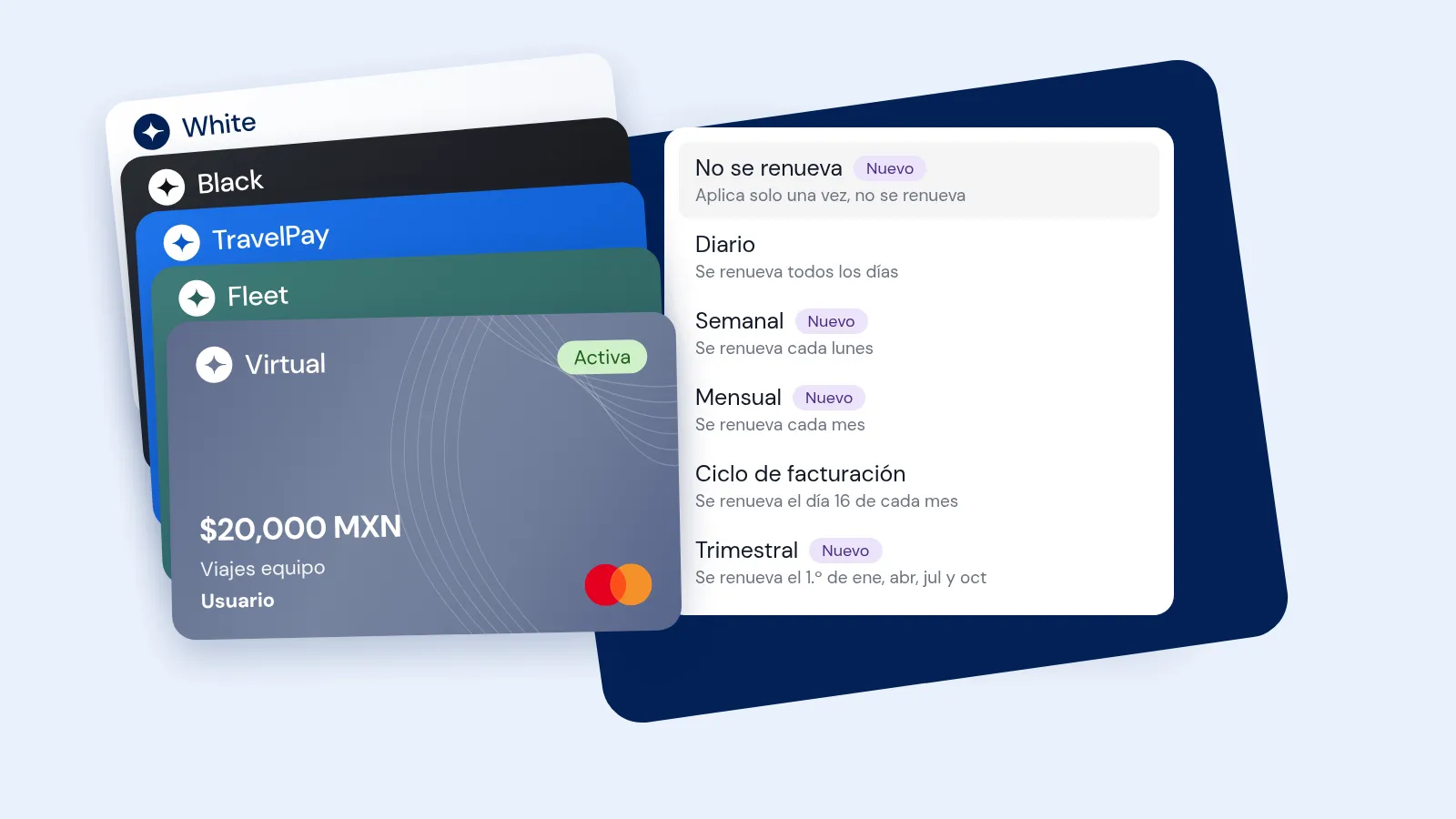
More flexibility to manage your card limits and greater visibility into your company’s expenses.
Not all company expenses follow the same rhythm.
Some need a daily limit, others are managed weekly or monthly, and others require an amount available throughout an entire quarter.
That is why, at Clara, we have expanded the options for configuring your corporate cards.
You now have four new renewal cycles to choose when each card’s limit resets, based on your company’s needs.
You can also check how much each card has spent and how much of its limit is available in real time.
1. New renewal cycles: each card has its own rhythm
You can now choose from six renewal cycles to define when your Clara cards’ limits reset.
Four of them are new: No renewal, Weekly, Monthly, and Quarterly.
You can find these options when creating a card in Clara. During setup, you can define its spending limit and select the renewal cycle that best suits your company’s needs.
No renewal · NEW
The limit is assigned only once and does not renew automatically.
Ideal for one-time expenses with a defined amount that do not need to recur, such as exceptional purchases, equipment for new employees, events, or specific projects.
Daily
The limit resets every day.
Useful for frequent operating expenses or teams that need a maximum amount available each day.
Weekly · NEW
The limit resets every Monday.
An option for sales teams, field staff, mobility, and operations that manage their expenses weekly.
Monthly · NEW
The limit resets on the first day of each month.
Useful for subscriptions, digital tools, administrative expenses, and recurring purchases.
Billing cycle
The limit resets according to your company’s billing cycle with Clara.
An alternative that keeps limit renewals aligned with your company’s billing dates.
Quarterly · NEW
The limit resets at the start of each calendar quarter:
January 1 · April 1 · July 1 · October 1
Ideal for Marketing campaigns, projects, events, and initiatives with expenses spread over several months.
2. Your card limits are independent of your overall credit line
With these new options, you can set limits for different spending periods without having to align them with your company’s credit cycle.
To understand how this works, it is important to distinguish between two concepts:
Card limit: defines how much a card can spend during the configured period.
Overall credit line: defines how much credit your company has available at that moment.
They operate independently and follow different cycles.
This means that a card’s limit can be higher than your company’s available credit.
However, each time a purchase is made, Clara checks two conditions:
- The card has available limit.
- The company has enough available credit to make the purchase.
Both conditions must be met for the transaction to be approved.
3. Paying Clara restores credit, not your card limits
The overall credit line and each card’s limit operate independently.
When your company makes a payment to Clara, it restores available credit on its overall credit line.
However, that payment does not automatically reset the limits already used on the cards.
How does it work?
Imagine a card with the following settings:
Quarterly limit: $90,000 MXN
Amount used: $30,000 MXN
Available limit: $60,000 MXN
If your company makes a payment to Clara, it restores available corporate credit.
But the card will still have $60,000 MXN available within its quarterly limit.
The full $90,000 MXN limit will become available again when the next quarter begins.
Need to increase a card’s spending limit before its next renewal?
An administrator can adjust it directly in Clara without waiting for the next cycle.
4. Check amounts used in real time
In Clara, you can check at any time:
- Limit used: how much each card has spent during its current period.
- Available limit: how much it can still spend within that period.
This information is updated in real time, making it easier to track corporate expenses and identify when a card’s limit needs to be adjusted.
5. Frequently asked questions
What does “No renewal” mean?
It means that the card limit is assigned only once and does not reset automatically after it is used.
It is an option for one-time expenses or needs with a defined amount.
What happens if a card reaches its limit before the next renewal?
An administrator can increase the card’s spending limit directly in Clara without waiting for the next cycle.
Can I change the limit or renewal cycle after creating a card?
Yes. An administrator can adjust the limit and change the renewal cycle among the options available to your company.
Are Monthly and Billing cycle the same?
No.
Monthly: the limit resets on the first day of each calendar month.
Billing cycle: the limit resets according to your company’s billing cycle dates with Clara.
Are all cycles available to all companies?
Yes. In Mexico, all six renewal cycles are available to Clara companies.
6. More flexibility for your cards. All in Clara.
The new renewal cycles are available for your White, Black, Virtual, TravelPay, and Clara Fleet Card cards.
With these options, you can tailor your card limits to different spending needs while keeping greater flexibility and control in a single platform.