

Forget the red tape of traditional cards
Streamline your company's spend control. Get corporate credit cards, create as many as you need for every team and customize them however you like. Manage everything from a single platform.

- 2KCards created
- 1M+Transactions per minute
More than 45,000 companies trust Clara












Everything works when everyone has the tools they need.
Corporate Cards
Global corporate cards with customizable limits and controls to scale team spending without losing financial control.
ExplorarClara TravelPay
Virtual cards for business travel with full visibility: control every expense, prevent unauthorized charges and simplify reporting.
ExplorarAutomated Reimbursements
Automated expense reimbursements that eliminate manual paperwork and speed up employee payouts with smart workflows.
Explorar
Smart Card Controls
Scale your team's spending without losing control: smart limits and automated rules keep everything aligned without constant oversight.
ExplorarAutomated Approval Flows
Automate expense approvals with custom flows that eliminate bottlenecks and speed up decisions without losing visibility.
ExplorarData ready for your ERP
Close faster, scale without friction: Clara matches receipts to transactions and gets the data ready for your ERP, so your team can focus on growth.
Explorar
Automatic policy compliance
Automate approvals by amount and category: enforce policies without blocking your team or creating operational friction.
ExplorarAI-powered financial management
An AI agent that analyzes financial data in real time and generates insights for strategic CFO decisions.
ExplorarReimbursements without manual work
Automate expense reimbursements: employees upload from the mobile app and accountants approve on the platform, with no manual follow-up.
Explorar
Corporate cards built for those who scale with control
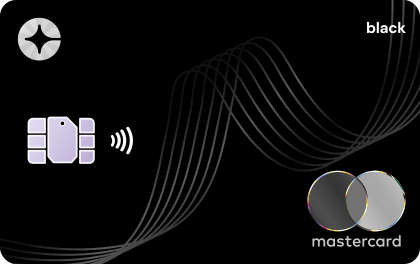
Clara Black
For leadership and global travel. Unlock premium limits and exclusive institutional benefits.
Physical Ships to your company
Learn more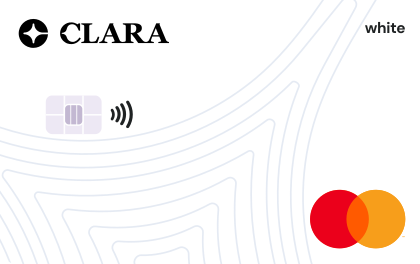
Clara White
When work happens outside the office. Give Mastercard cards to employees with recurring field expenses. Real-time control, no annual fee.
Physical Ships to your company
Learn more
Clara Virtual
Unlimited digital payments. Issue unlimited virtual cards instantly to manage high-velocity ad spend and software subscriptions.
Virtual Instantly
Learn more
Clara TravelPay
Global Business Mobility. Deploy automated VCNs for every booking and eliminate manual friction and reimbursement delays.
Virtual Instantly
Learn moreCorporate cards ready to scale
Stop using personal cards
Get access to a credit line and bring all your corporate spending into one place. Create custom company cards for your team and organize them by cost center for easier management.
Full control in real time
Easily access all your team's payments on our platform. See how much is being spent and detect anomalies and duplicate expenses with AI Insights.
Goodbye to manual work
Your team uploads receipts to the platform at the moment of purchase, and company payments are reconciled automatically for complete, error-free reports.

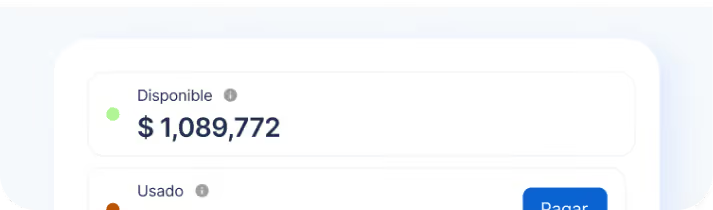
One expense, from purchase to close
Here's how you control your team's spending with Clara: rules before every purchase, automatic receipt matching after, and data ready for the close.
A card for every expense, instantly
- Clara does
- Issues the virtual card instantly, with limit, rules and accounting fields already set.
- You decide
- Who uses it, how much and where: by person, team or project.
- Employees
- Gets their virtual card instantly and uses it from the app.
Every purchase follows your rules
- Clara does
- Applies your rules in real time: allowed categories, hours and amounts.
- You decide
- Freeze, unfreeze or cancel any card instantly.
- Employees
- Pays with the card or with a compatible digital wallet.
One photo over WhatsApp. Done.
- Clara does
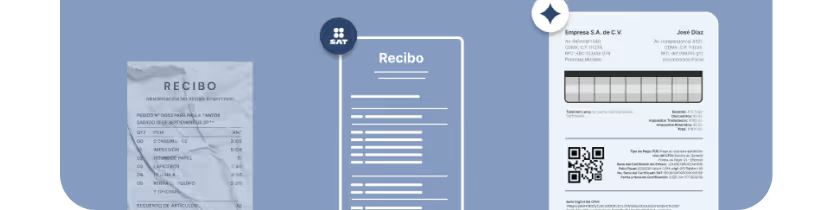
- AI Smart Match reconciles the receipt in under 5 seconds and retrieves your CFDIs from the SAT.
- You decide
- Which receipt each card requires before approval.
- Employees
- Sends a photo of the receipt over WhatsApp. Done.
What doesn't add up shows up before the close
- Clara does
- Flags out-of-policy expenses and duplicate subscriptions.
- You decide
- You approve at multiple levels, with the full context of the purchase.
- Employees
- Knows what they can spend: the rules live on their card.
The month closes with no manual entry
- Clara does
- Sends reconciled data to your ERP.
- You decide
- You review and close with data that arrives already reconciled.
- Employees
- No expense reports at the end of the month.
Try it: pick an expense and approve it
See Clara in action
Take a tour and see how cards, payments and spend management come together in one place.
See the demo (opens in a new tab)Everything you need to know about Clara
Clear information on limits, global security and how Clara's corporate card outperforms traditional business banking.
How does Clara help a mid-sized company control spending?
Clara helps a mid-sized company in Mexico control spending with corporate cards, per-card limits and a single view of transactions, receipts and accounting fields. Finance stops chasing information across emails and spreadsheets. See the spend management page for the full flow.
See also: Clara spend management
Can I set up approval flows by department in Clara?
Yes, in Clara you can set up approval flows by department with up to five levels, on the Pro and Enterprise plans. Each request follows the order you configure, and approvers decide within Clara. Check the plans and pricing to confirm what yours includes.
See also: Clara plans and pricing
Does Clara apply my expense policy?
Yes, Clara applies your expense policy with the Policy Agent, which reads every receipt and flags transactions that may need your team's review. The agent only alerts: finance decides and can override the alert. See how the Policy Agent works.
See also: Clara Policy Agent
Does Clara connect to my ERP?
Clara connects to your ERP through integrations assisted by the Solutions team, with field mapping and sync of classified transactions. Clara syncs; your team does the reconciliation. See the integrations page for the systems confirmed in Mexico.
See also: Clara ERP integrations
How do I classify expenses by cost center?
You classify expenses by cost center with Clara's accounting fields: you set them up once and every transaction arrives already coded, with no sorting at month-end close. You can use cost center, project, category or any other field your company defines. See the accounting fields page.
See also: Clara accounting fields
How do I measure the return on switching systems with Clara?
You measure the return on switching systems with Clara's ROI calculator. The tool compares the current cost of your processes with the spend and time you can recover. Use it with your own volume and team-hours data, and review the result before you define the scope of the change.
See also: ROI calculator