




Bill Pay
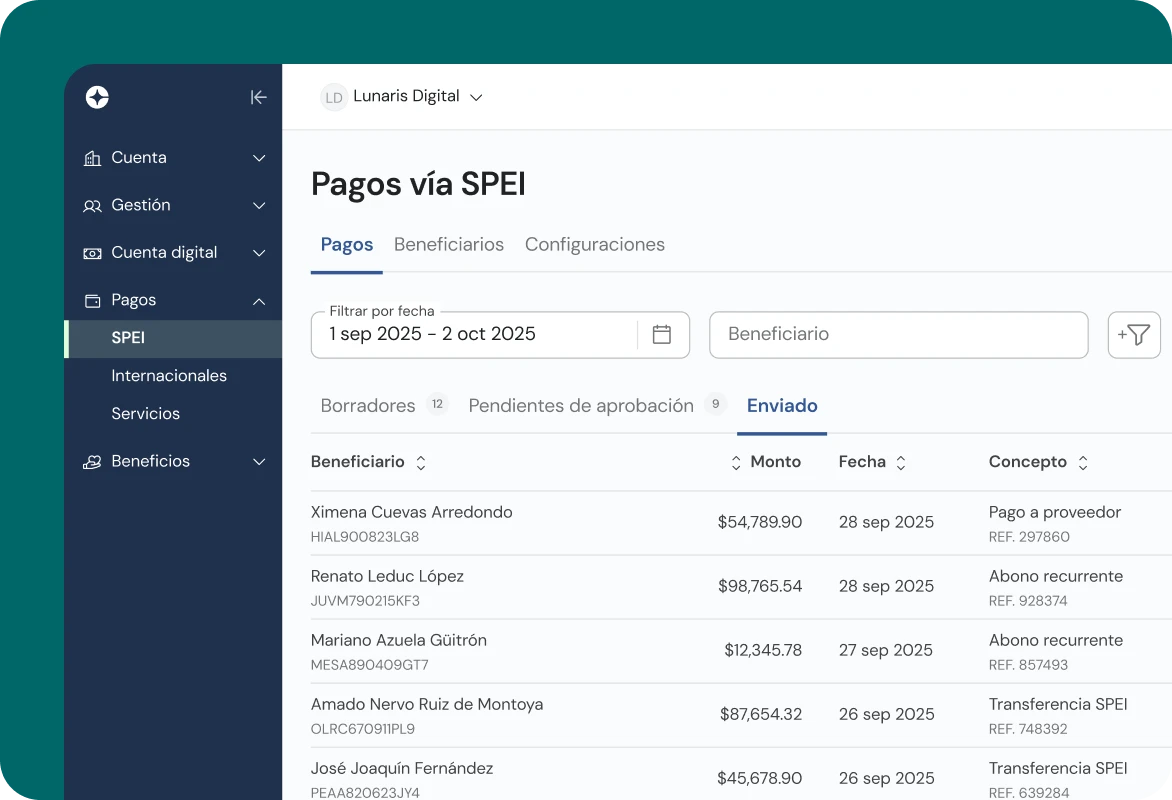
The problem
- Paying suppliers requires logging into a banking portal and entering CLABEs and amounts manually.
- Without financing, companies must choose between paying upfront and losing their supplier's terms.
- Multiple manual SPEI transfers take up the finance team's time.
- Setting up beneficiaries is a slow, repetitive process in banking portals.
- Lack of visibility into costs: transfer prices vary unpredictably.
The solution
Financed SPEI Pay your suppliers today. Settle later.
Choose how to pay for your financing: a daily fee or a fixed fee.
Service payments In addition to suppliers, pay recurring bills (electricity, internet, phone, rent) directly from Clara just as easily.
Bulk beneficiary setup Upload a file with all your beneficiaries at once. Clara automatically validates CLABEs and other details, without entering each one manually.
Transparent daily pricing See the cost of each transfer before making it. Prices are updated daily with full transparency.
Main features
How it works
Step 1: Set up beneficiaries
Upload a file with your beneficiaries (CLABE, legal name, RFC) or add them manually. Clara automatically validates the details.
Step 2: Create a payment
In the Bill Pay section, select the beneficiary and enter the amount and payment description. Attach the invoice (XML/PDF) if applicable.
Step 3: Choose financing
Choose whether to pay upfront or use Financed SPEI with your Clara credit line. See the pricing before confirming.
Step 4: Submit for approval
The payment enters the configured approval workflow. Approvers receive a notification.
Step 5: Clara makes the SPEI transfer
Once approved, Clara automatically makes the SPEI transfer. Receive proof of payment.
Availability
🇲🇽 Mexico