




How do you issue a virtual card in Clara?

How do you issue a virtual card in Clara? Having fast, secure payment methods is key to improving your company's financial management. In...
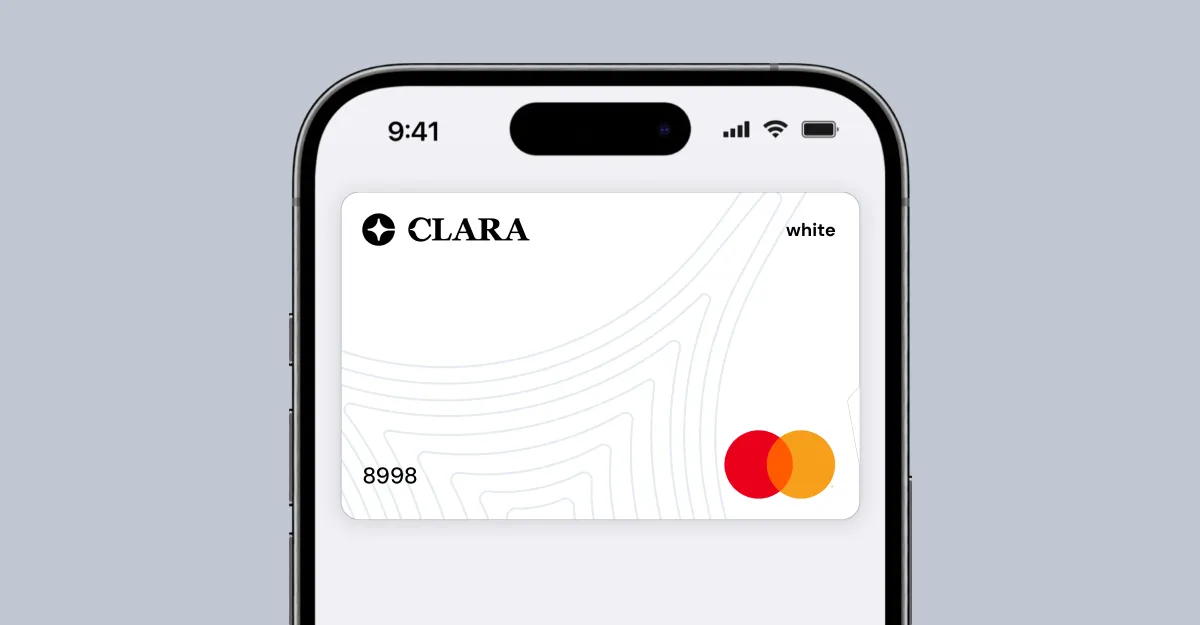
How do you issue a virtual card in Clara?
Having fast, secure payment methods is key to improving your company's financial management. In this context, issuing a Clara virtual card is a smart solution that makes corporate online payments easier while providing control, security, and operational efficiency.
What is a Clara virtual card and how does it work?
The Clara digital card is an electronic version of traditional debit or credit cards, designed especially for companies seeking to simplify the management of their financial resources and increase security in digital transactions.
By issuing a Clara virtual card your company gets a tool with temporary or permanent details (number, expiration date, and security code) that can be used to make online purchases or manage advertising campaigns, buy subscriptions, and make other automated payments. It works like a physical card, but its strength lies in how easily and quickly you can generate and manage multiple virtual cards from one centralized platform.
What are the benefits of a Clara virtual card?
Making business transactions with a Clara digital card offers significant benefits, especially:
- Greater security: Virtual cards provide stronger protection against fraud and theft because you can control spending limits and usage periods more precisely.
- Better financial control: They make it easier to monitor and manage corporate spending through automated reports for each card issued.
- Speed and convenience: You can get a Clara virtual card in minutes, without waiting or completing additional bureaucratic procedures.
- Flexible use: You can easily activate or deactivate each Clara virtual card from the platform whenever you need to.
- Lower operating costs: By eliminating physical cards, you save on the administrative and logistical costs associated with issuing traditional corporate cards.
Clara virtual card process: step by step
If you are still wondering how to issue a virtual card for your company, here is the full Clara virtual card process:
Step 1: Access your Clara account
The first step in getting a Clara virtual card is to sign in to your Clara financial management dashboard. If you do not yet have an account, you will need to register first.
Step 2: Find the virtual card issuance option
From the main dashboard, go to the section for virtual card issuance. The option is generally clearly labeled with terms such as "Issue a Clara virtual card" or "Create a Clara digital card."
Step 3: Enter the requested information
At this point, fill out the fields required to issue a Clara virtual card. The platform will generally ask for details such as the authorized spending limit, desired validity period, and a description of how the Clara virtual card will be used (supplier payments, digital subscriptions, campaign budget, etc.).
Step 4: Activate the Clara virtual card and manage its settings
After entering the information, the final step is to confirm and activate the Clara virtual card. Immediately after activation, you will have all the details you need to begin making secure online purchases.
Your Clara account also lets you set specific usage periods or quickly deactivate cards you no longer need. We discuss this in more depth in our article on expiration or deactivation of virtual cards.
Using a Clara virtual card: key recommendations
Although issuing a Clara virtual card is very simple, keep these tips in mind to make the most of it:
- Define its purpose clearly: Create a separate card for each use or department (advertising, IT, administration) to make accounting control easier.
- Set appropriate limits: Adjust spending limits to specific needs to prevent misuse or mistakes.
- Review it regularly: Occasionally audit how Clara virtual cards are used to spot any possible vulnerability or excessive spending early.
- Train your team: Clearly explain to your employees how a virtual card works, its terms of use, and your internal conditions for using it.
Where can you use a Clara virtual card?
Thanks to its flexibility, once you complete the Clara virtual card process, you can use the card in various business situations, such as:
- Digital advertising payments: Excellent for advertising platforms that require recurring or one-off payments, such as Facebook Ads, Google Ads, and other digital campaigns. Learn more about the advantages of a virtual corporate card.
- Purchasing subscriptions: Use it effectively to pay for software, SaaS tools, and monthly or annual digital platforms.
- E-commerce purchases: Ideal for one-off or recurring purchases of equipment, supplies, and services your organization contracts online.
Conclusion
Ultimately, issuing a Clara virtual card offers multiple strategic benefits for modern businesses. By establishing more efficient financial processes, improving digital security, and encouraging responsible financial management, the Clara digital card is a key tool for effective business administration. Consider adopting virtual cards to transform corporate spending for the better!