




New Clara feature: Multiple legal entities

For business holding companies, companies with subsidiaries, and medium-sized and large companies with more than one legal entity. At Clara, we continue...
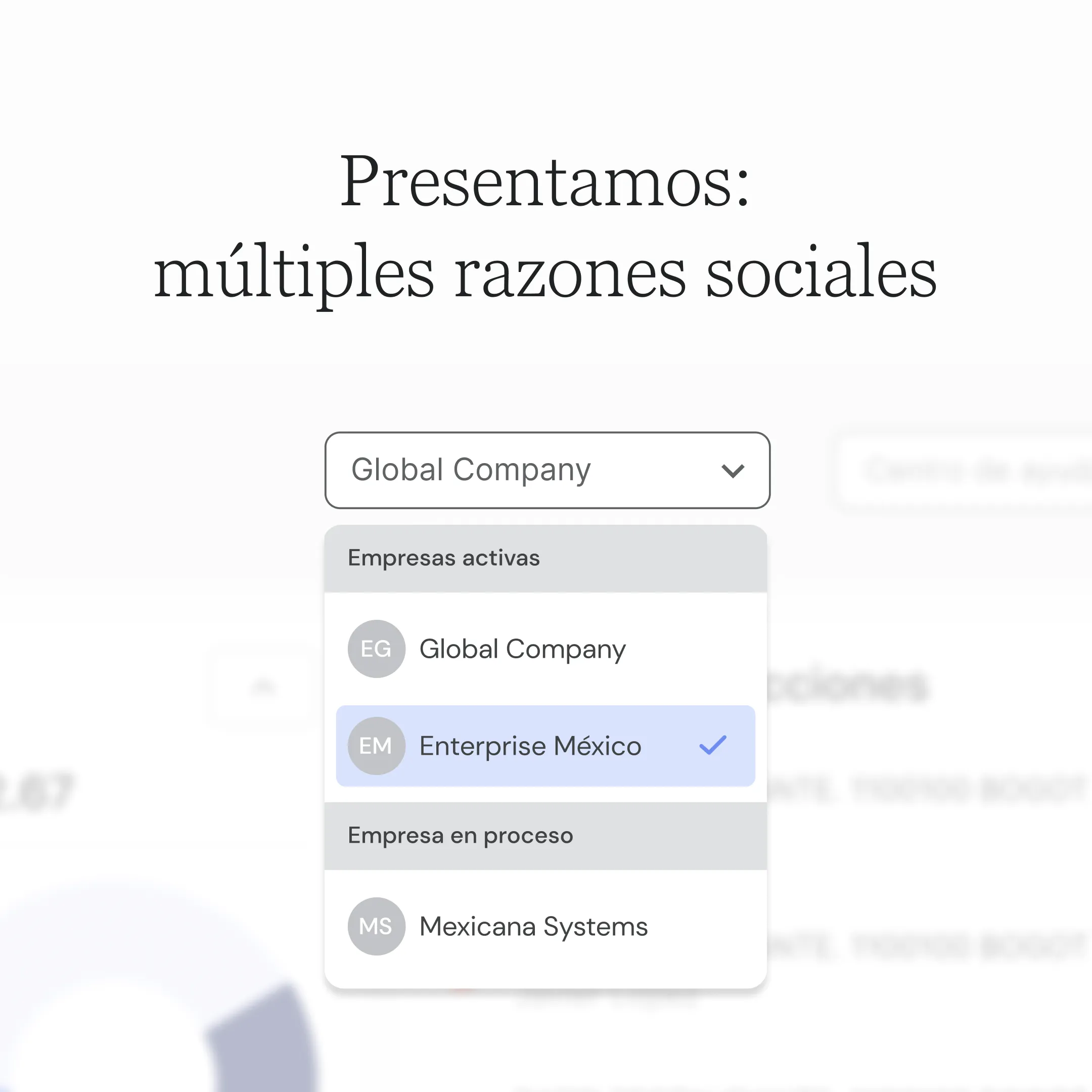
For business holding companies, companies with subsidiaries, and medium-sized and large companies with more than one legal entity.
At Clara, we continue to evolve so your finance teams can carry out their work more simply. That is why we are introducing a tool for companies with multiple legal entities, which will allow your finance team to connect users to different companies from the same session.
This new Clara feature will help your team members access different companies or subsidiaries from the same session on the platform, using the same email address and password. In addition, users already registered with Clara can now create new companies.
This feature will allow you to:
-
Use the same email address, password, and official identification if you want to create a new company in the same country.
-
Add team members to existing companies using an email address previously registered with a Clara account.
-
Save time for your finance and accounting teams, which manage the finances of several companies at once.
-
View information from different companies in real time, from the same session and without leaving the Clara platform.
How do I switch from one company to another on the platform?
Users with more than one company can switch between companies using the menu at the top of the dashboard, to the left of the account icon.
How does it work?
Before:
Now:
- A user with an existing Clara account could not be added to another company
- Users could not create a new company with the same email address and official identification
- From the Create user option, users with Administrator and Manager roles can invite someone who already has a Clara account, making sure the email address and RFC/personal ID match those entered by the user in their account. The new company will then be added to the same account.
- In the Company section, the label ‘Register a new company’ will appear on the right side of the menu for users with Administrator and Accountant roles. These users can start the application process by clicking it and following the steps to register the new company.
- In both cases, users with more than one company can switch between companies through a menu at the top of the screen, next to the account icon.
Go here to learn about the tools Clara offers large companies to simplify their financial management.
If you have questions or need more information about implementing this feature, visit our Help Center.