




Smart Match
The problem
- Employees forget to link receipts to corporate card transactions.
- The finance team spends hours manually reconciling receipts and transactions.
- Receipts get lost in emails, drawers and WhatsApp folders.
- Linking errors cause tax and audit problems.
- Month-end closing is delayed by missing supporting documentation.
The solution
Matching via WhatsApp Send a photo of the receipt to Clara’s WhatsApp number (+57 601 241 1701). AI identifies the corresponding transaction and links it automatically.
Matching by email Forward receipts to factura+NIT@co.clara.com. Use your company’s NIT instead, without periods, hyphens or the check digit. Example: factura+900123456@co.clara.com. Clara processes them and links them to the correct card.
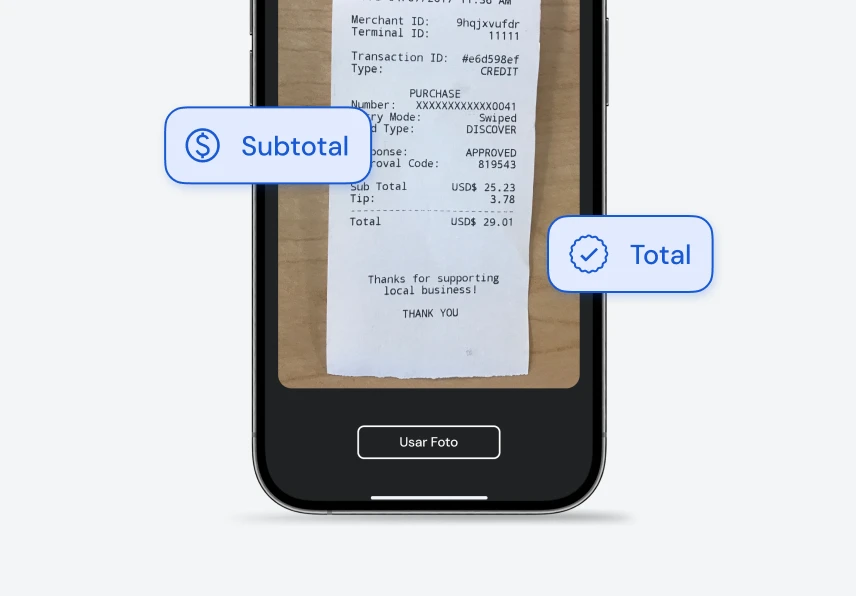
AI recognition Advanced OCR reads the receipt and extracts the amount, date and merchant to identify the exact transaction, with no manual entry.
Pending items dashboard Managers see transactions without receipts and send automatic reminders to employees.
Main features
How it works
Step 1: Pay with your Clara card
Make your purchase as usual with your physical or virtual Clara card.
Step 2: Send the receipt
Take a photo of the tax receipt and send it via WhatsApp (+57 601 241 1701) or email (factura+NIT@co.clara.com).
Step 3: AI makes the match
Smart Match automatically identifies the corresponding transaction using the amount, date and merchant.
Step 4: Confirm the link
Receive instant confirmation that the receipt was linked correctly.
Step 5: Track the status in the dashboard
Managers check the receipt status of all transactions in the pending items dashboard.
Availability
🇨🇴 Colombia