
Not all business expenses follow the same schedule.
Some require daily limits, others are managed weekly or monthly, and certain initiatives need a spending limit that remains available throughout an entire quarter.
That's why Clara is expanding the ways you can configure your corporate cards.
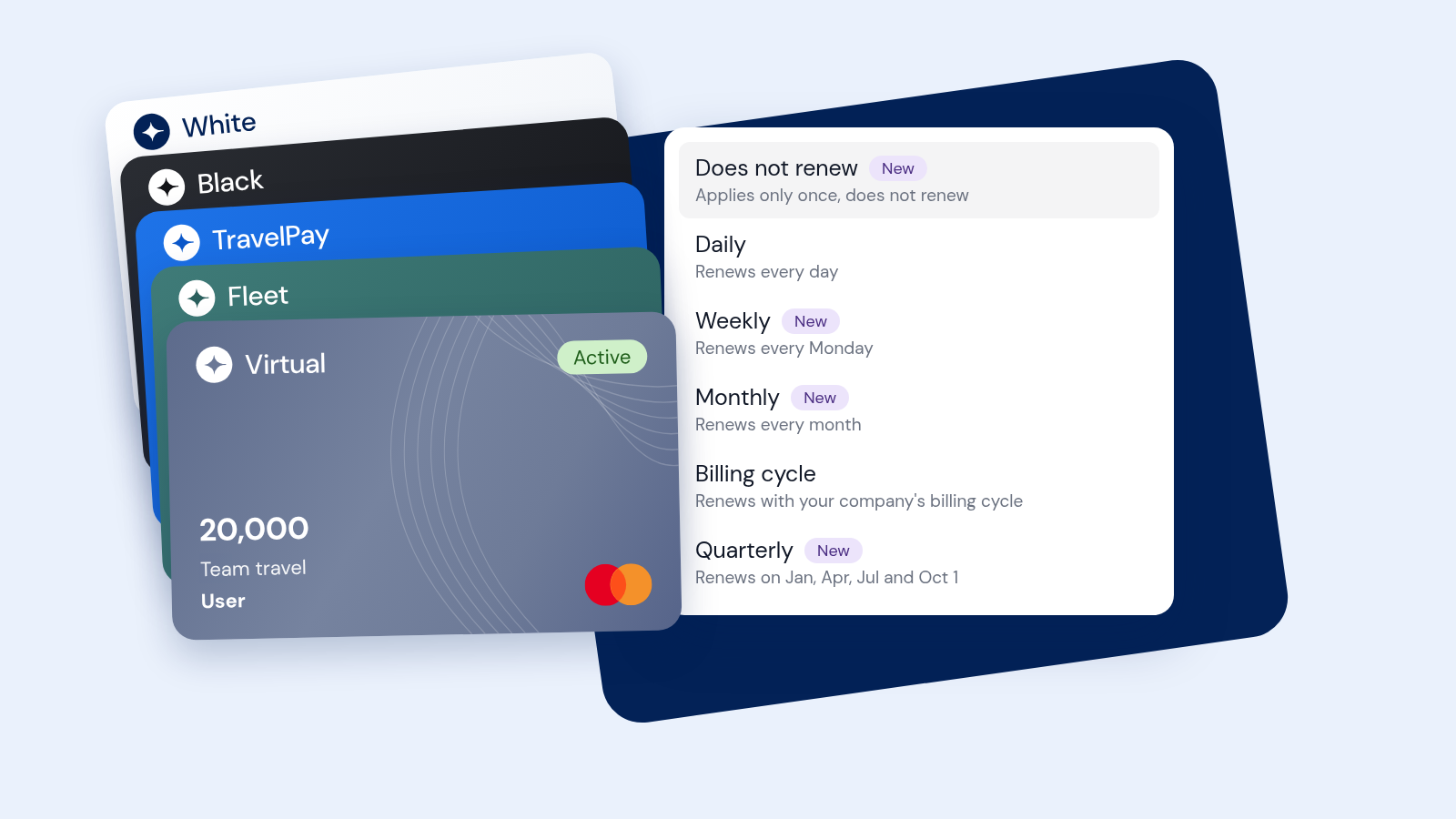
You now have four new renewal cycles to choose when each card's spending limit resets, based on your company's needs.
You can also track how much of each card's limit has been used and how much remains available in real time.
You can now choose from six renewal cycles to determine when your Clara card limits reset.
Four of them are new: No renewal, Weekly, Monthly, and Quarterly.
These options are available when creating a card in Clara. During setup, you can define the card's spending limit and select the renewal cycle that best fits your company's needs.
The limit is assigned once and does not reset automatically.
Ideal for one-time expenses with a defined amount, such as extraordinary purchases, equipment for new employees, events, or specific projects.
The limit resets every day.
Useful for recurring operational expenses or teams that need a maximum amount available each day.
The limit resets every Monday.
A good option for sales teams, field employees, mobility, and operations teams that manage expenses weekly.
The limit resets on the first day of each month.
Useful for subscriptions, digital tools, administrative expenses, and recurring purchases.
The limit resets according to your company's Clara billing cycle.
An alternative for keeping card limit renewals aligned with your company's billing dates.
The limit resets at the beginning of each calendar quarter:
January 1 · April 1 · July 1 · October 1
Ideal for Marketing campaigns, projects, events, and initiatives with expenses spread across several months.
With these options, you can configure card limits for different spending periods without having to align them with your company's credit cycle.
To understand how this works, it's important to distinguish between two concepts:
Card limit: determines how much a card can spend during its configured period.
Company credit line: determines how much credit your company has available at a given moment.
Both operate independently and follow different cycles.
This means a card's limit can be higher than your company's available credit.
However, whenever a purchase is made, Clara checks two conditions:
Both conditions must be met for the transaction to be approved.
Your company's credit line and each card's spending limit operate independently.
When your company makes a payment to Clara, available credit is restored to its company credit line.
However, that payment does not automatically reset the amount already used from a card's spending limit.
Imagine a card with the following configuration:
Quarterly limit: $90,000
Amount used: $30,000
Remaining limit: $60,000
If your company makes a payment to Clara, it restores available company credit.
But the card will still have $60,000 remaining within its quarterly limit.
The full $90,000 limit will become available again at the beginning of the next quarter.
Need to increase a card's spending limit before its next renewal?
An administrator can adjust it directly in Clara without waiting for the next cycle.
In Clara, you can check the following information at any time:
This information is updated in real time, making it easier to track corporate spending and identify when a card limit needs to be adjusted.
It means the card's limit is assigned once and does not automatically reset after being used.
It's an option for one-time expenses or specific needs with a defined amount.
An administrator can increase the card's spending limit directly in Clara without waiting for the next cycle.
Yes. An administrator can adjust the card limit and change its renewal cycle among the options available to the company.
No.
Monthly: the limit resets on the first day of each calendar month.
Billing cycle: the limit resets according to your company's Clara billing cycle dates.
Availability varies by country.
In Mexico and Brazil, all six renewal cycles are available to Clara companies.
In Colombia, Daily and Billing cycle are available to all plans, while the four new cycles — No renewal, Weekly, Monthly, and Quarterly — are available to Enterprise
companies.
The new renewal cycles are available across Clara's corporate card portfolio.
With these options, you can adapt card limits to different spending needs while maintaining greater flexibility and control from a single platform.


.webp)