
When multiple people manage corporate cards, understanding what happened to a card should not require messages, searches, or manual follow-ups.
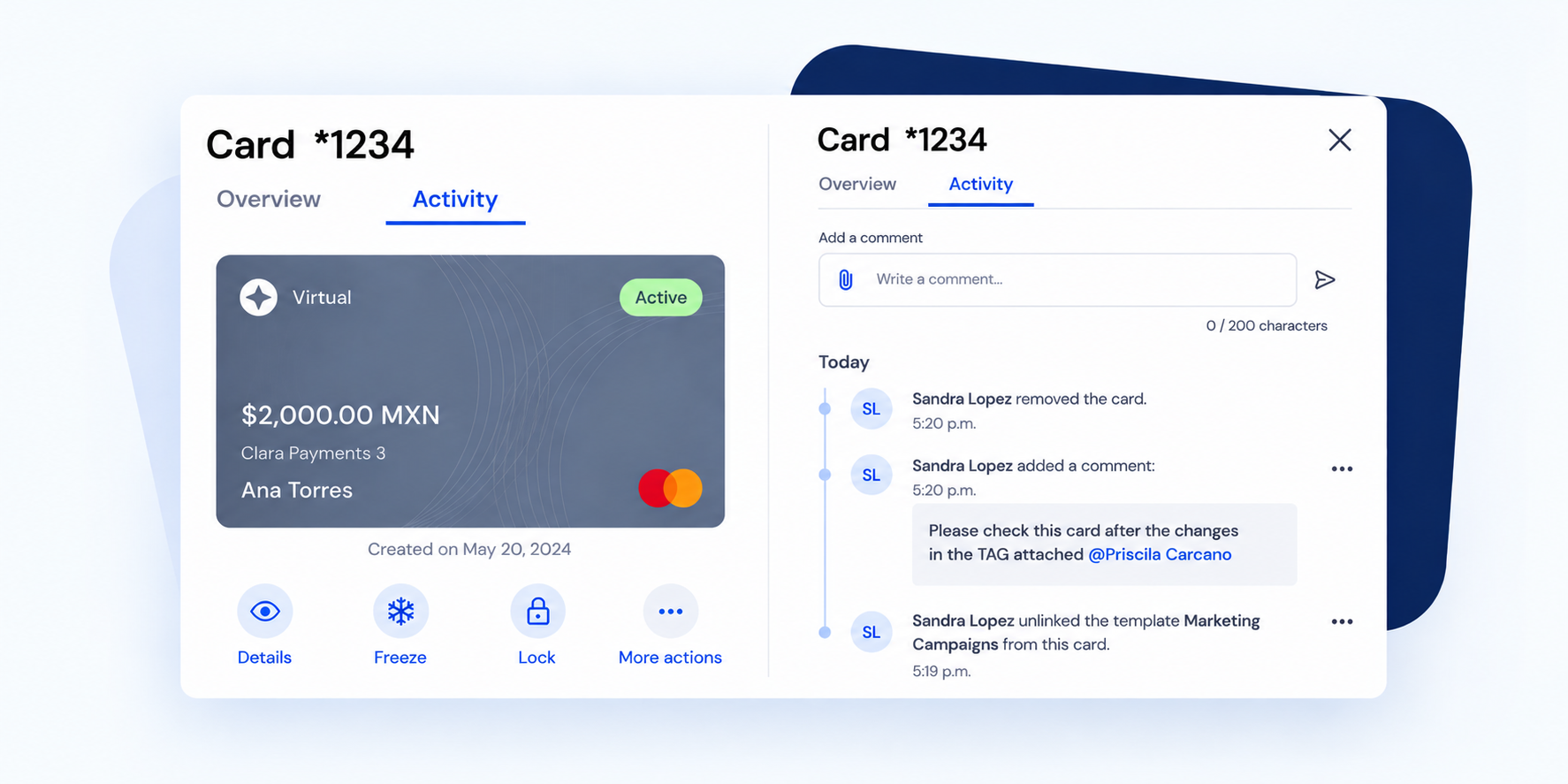
Now, every card in Clara includes an Activity section where you can review, in one place, the history of actions and changes related to that card.
More traceability for your team. More clarity on what happened to each card.
The new Activity section brings together the most relevant actions for each card in chronological order.
There, you can review events such as:
Instead of piecing together what happened across different users or processes, you have a clear activity record directly on the card.
When an action is performed by a user, Clara records who performed it.
For changes to card settings, you can also identify what information was modified, including the previous value and the new value.
For example, if someone updates a card setting, you can see who made the change and what was updated.
This makes it easier to track changes and gives Finance and admin teams greater visibility into how cards are being managed.
If a card was created from a request, the Activity section also includes the relevant history of that request.
This means you can follow the process from the moment the card was requested, including actions such as approval, rejection, or cancellation, through to any changes made after the card was created.
One timeline to understand the full context of the card.
The Activity section also allows users to add comments related to the card.
Users can:
This helps keep conversations and important context about a card directly where the card is managed.
With an activity history available for each card, your team can more easily answer questions like:
Less manual follow-up and more information available directly in Clara.
Open the card you want to review and go to the Activity section. There, you’ll find the history of actions recorded for that card.
Yes. When an action was performed by a user, the activity history shows who was responsible for it.
Yes. For recorded card-setting changes, you can see which information was updated, along with the previous value and the new value.
Yes. When a card was created from a request, the relevant activity from that request is also included in the card’s history.
Yes. You can add comments, mention other people, and attach files. You can also edit or delete comments you created.
Check our step-by-step Help Center guide to learn how to identify who made changes to a card and review its activity history.
Here
🇲🇽 Mexico | 🇨🇴 Colombia | 🇧🇷 Brazil
This feature is available on Clara’s web platform.
Review your cards’ activity and get the context you need to understand every change, directly in Clara.


.webp)